01
Start a trip
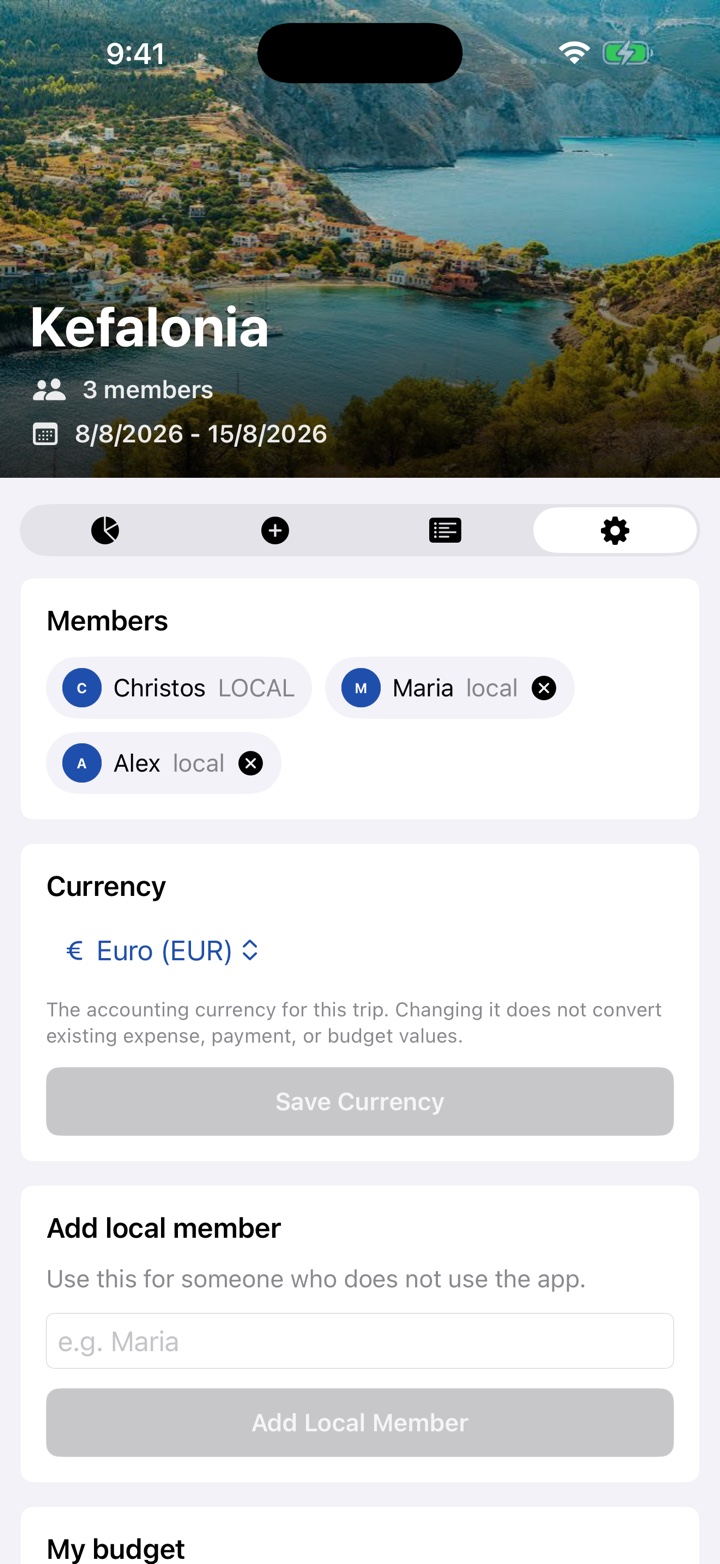
Create a trip, choose its currency and dates, add travelers, and set a destination cover.
Setup steps
Official app support
Shared trip expenses with per-trip currencies, optional home-currency estimates, Apple Maps places, and clear balances.
Help center
01
Create a trip, choose its currency and dates, add travelers, and set a destination cover.
Setup steps02
Record who paid and select everyone sharing an expense. FairTrip calculates the balances.
Expense questions03
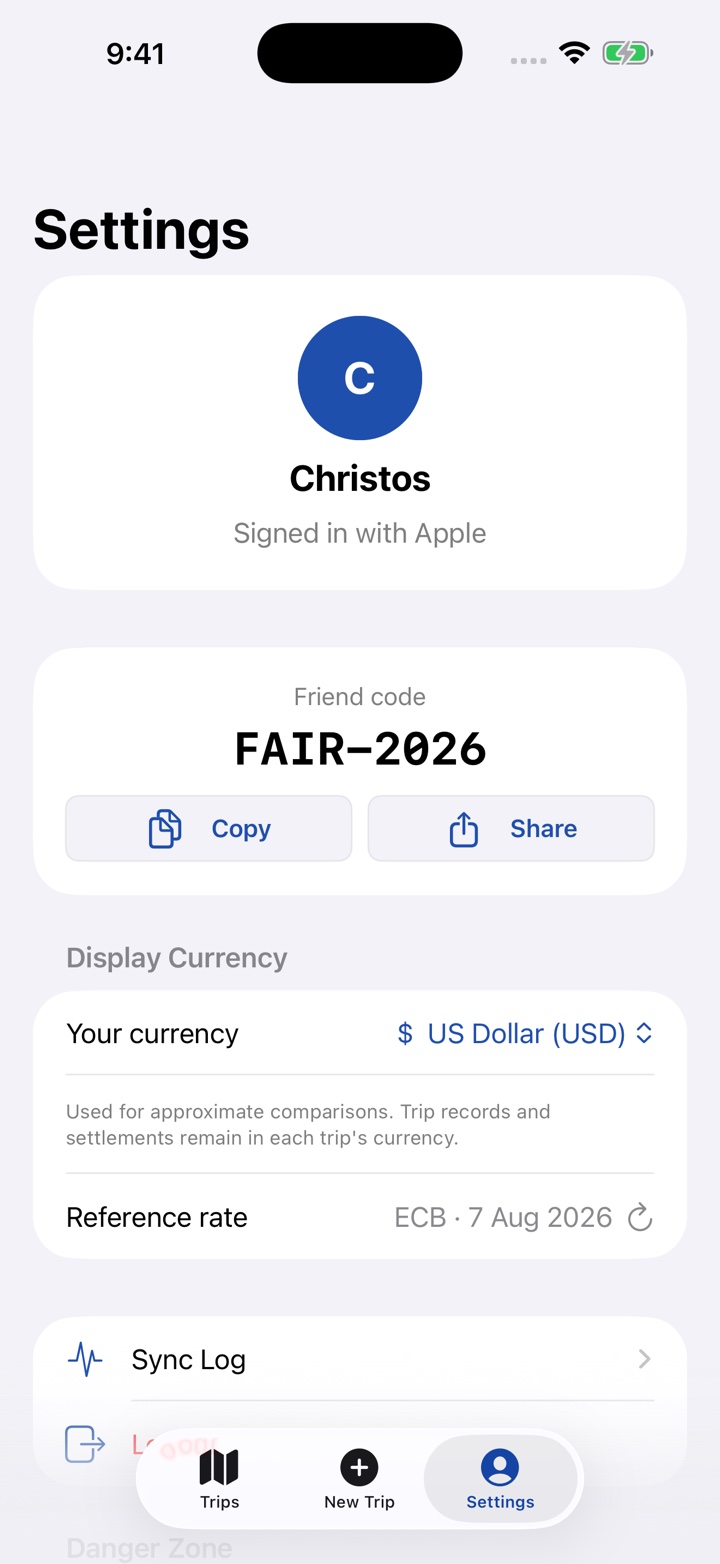
Use FairTrip locally or sign in with Apple or Google for synced trips and friend codes.
Account modes04
Review FairTrip's data practices or follow the steps to permanently delete an account.
Deletion stepsGetting started
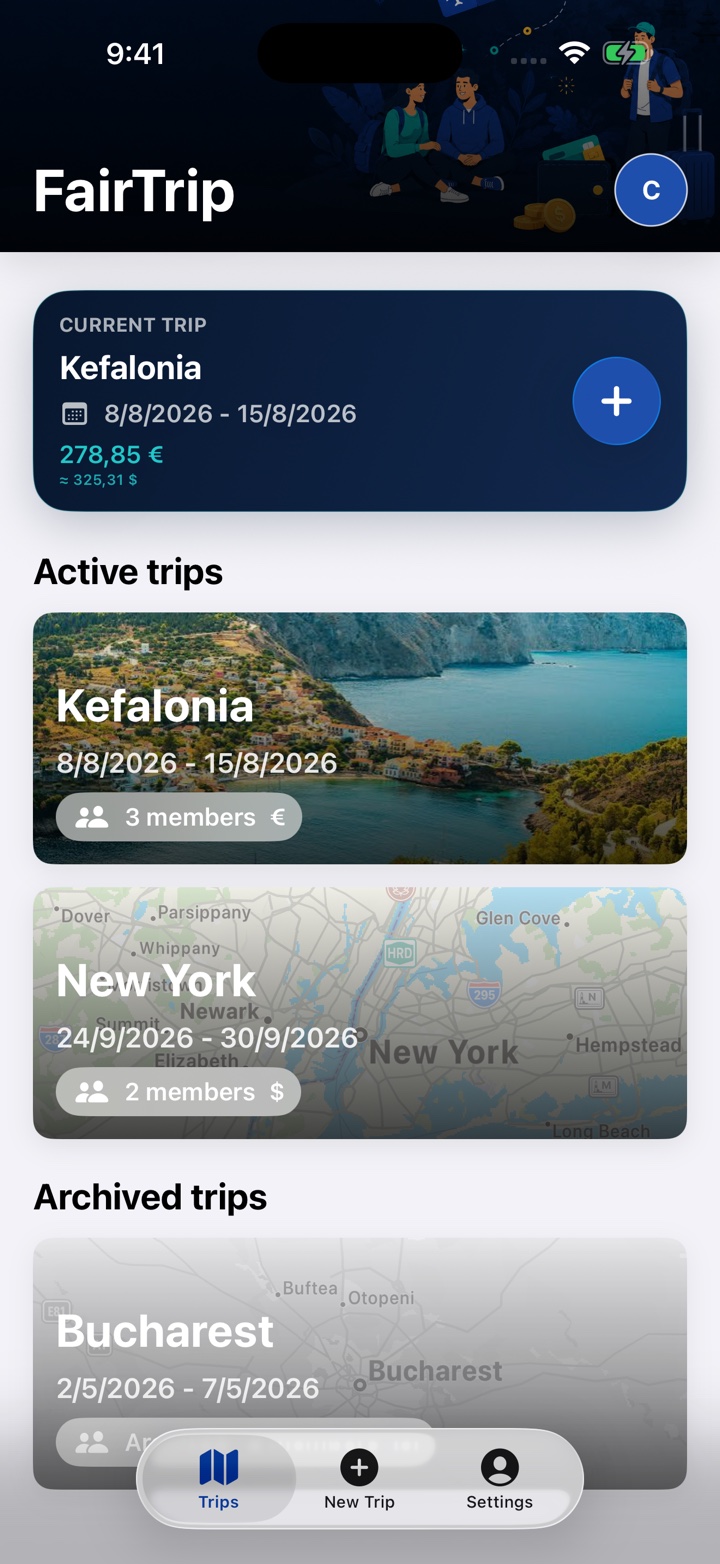
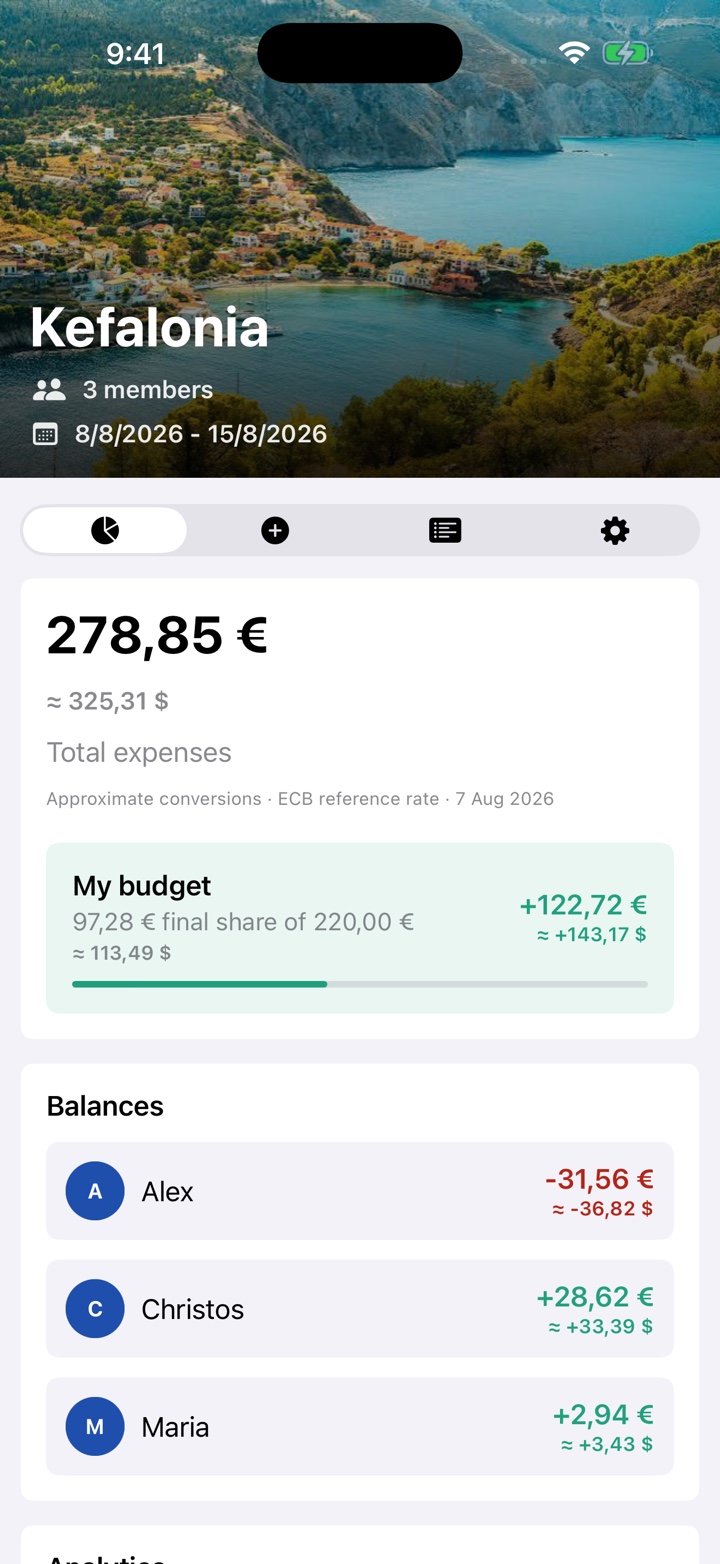
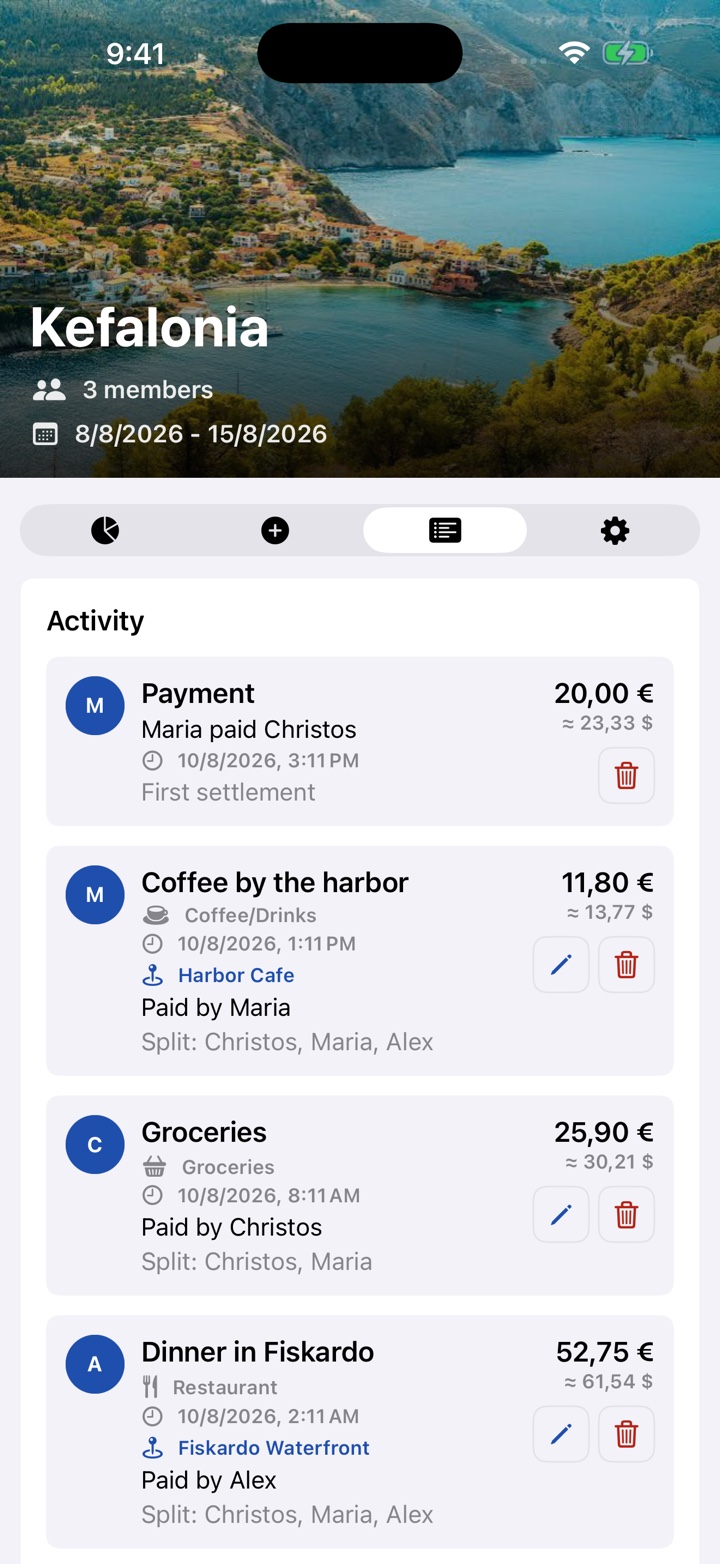
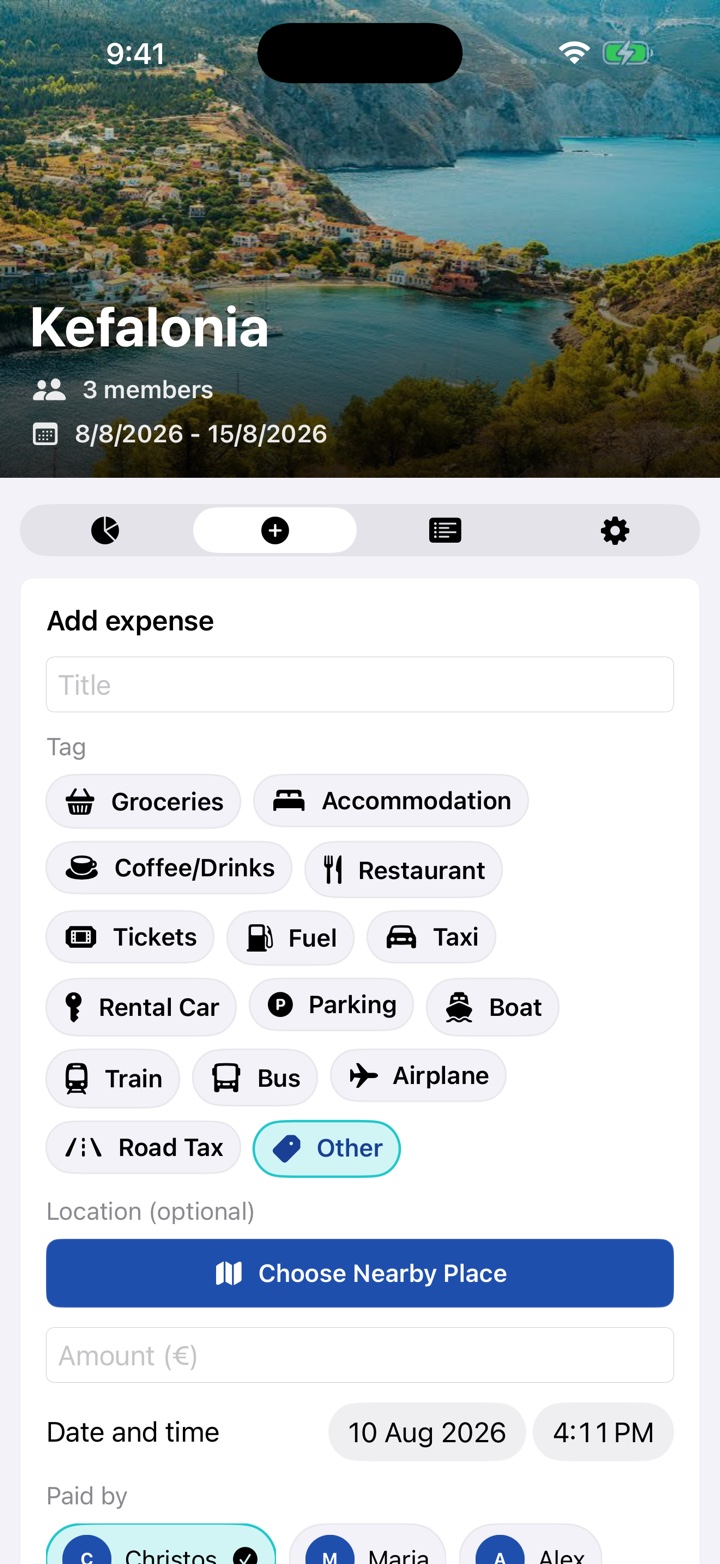
Choose your setup
No account is required. Trip records stay on that device and do not sync to another device.
Apple or Google sign-in enables Firebase-backed sync, friend codes, and shared trip access.
FairTrip records expenses and settlements for organization only. It does not move money or collect card or bank details.
Common questions
Each trip uses one accounting currency: euro, U.S. dollar, British pound, Swiss franc, Japanese yen, or Romanian leu. You can choose a personal display currency in Settings to see approximate converted values. Original records and settlement calculations remain in the trip currency. Changing a trip's own currency does not convert existing stored values.
No. They are convenient estimates based on the latest available public reference rates. They are not transaction, cash-exchange, or card-network rates.
Yes. Add that traveler as a local member from the trip settings.
An expense is divided equally among the selected participants. Select only the people sharing that cost.
Tap Choose Nearby Place after selecting a category. FairTrip requests foreground location access, searches Apple Maps near you, and stores only the place you select. Saved places can be reopened from Activity.
Confirm the device is online, then pull to refresh. In Settings, the Sync Log can retry pending writes. Avoid discarding the local queue unless you have already re-entered any unsynced expenses.
No. FairTrip is a one-time paid download with no recurring subscription and no advertising. App updates are included at no additional charge.
Open Settings, choose Delete Account, and confirm. Read the account deletion guide before proceeding.
Direct support
Include the FairTrip version, iOS version, device model, and steps that caused the issue. Do not send passwords, authentication codes, or private financial details.